

A webcam alone doesn’t carry a video call anymore. Bad lighting turns a sharp 1080p image into a grainy, shadowy mess, and it shows long before your words land. I put this list together for anyone whose workday, podcast, or tutoring session lives on the screen. The picks below range from dedicated webcam lights to ring lights and full desk lamps, so you can match gear to your actual room, not the other way around.
The Lineup, Simplified

LitONES 2 Packs LED Desk Lamps for Home Office (1200LM, Clamp-on, Adjustable Swing Arm)

LitONES Video Conference Lighting for Computer, Webcam, Video Recording
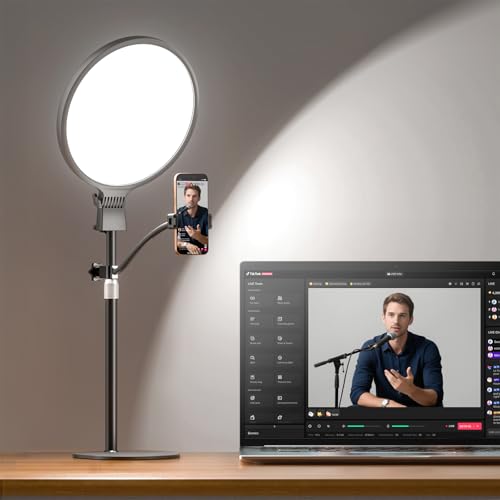
Evershop 1300 Lumens Ring Light with Stand for Desk (CRI 98+)

LitONES Video Conference Lighting for Zoom with Stand (30 Modes, CRI>98)
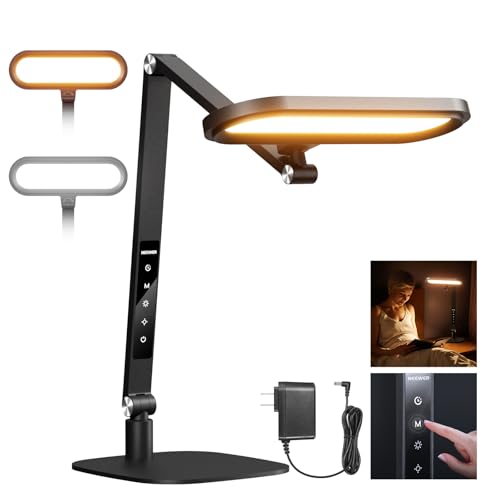
NEEWER Basics 16W Desktop LED Lamp (FR16, Foldable, CRI95)
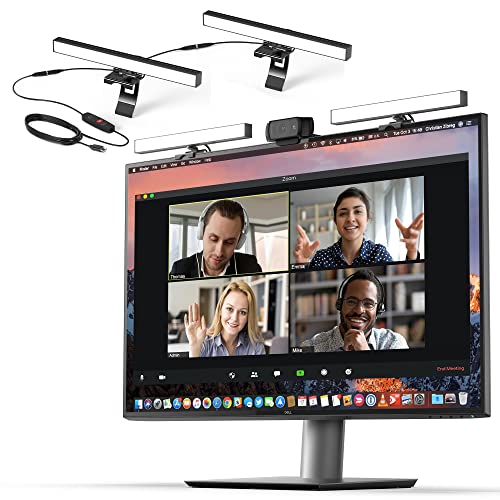
HumanCentric Video Conference Lighting – Webcam Light for Streaming LED

NEEWER Basics 7″ Desk Ring Light for Video Recording (R06, 10W)
More On The Choices That Made The List
This set ships as a pair, which sets it apart from most single-head options on the list. The clamp-on heads free up desk space you’d otherwise lose to bulky bases, and the swing arms let you angle light across a keyboard, a sketchpad, or directly toward your face during a call.
For dual-monitor setups where one screen faces the camera and the other faces you, having two lamps means you can fill light on both sides without buying a second unit later.
Features That Help
- The pair format covers front-and-side lighting that flatters round faces on camera.
- Clamp-on mounting keeps slim desks and standing-desk converters uncluttered.
- Memory function recalls your last brightness, so the first call of the morning looks like the last one of the day.
- Adjustable swing arm reaches over monitors, notebooks, and drawing tablets with equal ease.
Things To Consider
- Owners commonly report the clamp tension loosening on thinner desk edges over months of use.
- Two lamps mean two cables to route, which can tangle in under-desk cable trays.
Feature Snapshot
Who It Suits Best
Remote workers with two monitors and a shared desk who want symmetrical front lighting without buying separate lamps.
Consider Something Else When
Pick the LitONES Video Conference Lighting for Zoom with Stand instead if you travel between offices and want a single, freestanding unit.
This clip-on light skips the stand entirely and mounts right on your laptop or monitor bezel. CRI (Color Rendering Index) above 95 means skin tones read closer to natural light, which matters when your coworkers see more of your face than your words.
It’s the easiest entry point on the list. Plug in a USB port, clip it on, and your next call looks noticeably better within a minute.
Reasons It Performs
- Edge-lit design softens glare, so reflections on glasses drop sharply.
- USB power means any laptop, hub, or phone charger can run it on the road.
- Compact head slips into a laptop sleeve when working from a coworking space.
- High CRI rating keeps skin tones consistent across morning and afternoon calls.
Points To Keep In Mind
- Clip tension can mark thin laptop lids if you forget to reposition before closing.
- Single light source means shadow falloff is noticeable on one side of the face.
Feature Card
Made For
Hot-deskers and consultants who pack a laptop between client sites and need a one-second lighting upgrade.
Look Elsewhere When
Reach for the HumanCentric Video Conference Lighting if you want true dual-light setup and don’t mind a fixed desk arrangement.
This full-panel design beats most ring-style lights in raw output, hitting 1300 lumens across a wide surface. The result is even illumination with no hotspot in the middle, which is what separates a creator-grade look from a hobbyist’s “ring in the eye” effect.
It also ships with a flexible phone holder, making it a hybrid tool for both laptop calls and mobile podcasting without swapping rigs.
Where It Helps
- 1300-lumen output fills a small studio or home-office corner without extra lights.
- CRI above 98 captures color-accurate footage for clients who care about brand colors.
- Includes a flexible phone holder for quick switching between laptop and phone workflows.
- Wide coverage area keeps background elements readable on camera.
Worth Noting
- Higher output means more fan-free heat buildup during long streaming sessions.
- Stand footprint is larger than the smaller ring options above.
Right Fit For
Content creators and remote podcasters who host guests and need flat, even illumination across two seats.
Swap It Out When
Pick the NEEWER Basics 16W Desktop LED Lamp (FR16) instead if you mainly take solo calls and want something that doubles as a reading lamp.
Thirty modes sounds like marketing fluff until you switch from a 7 a.m. cool-white call to a 5 p.m. warm-toned client pitch. This stand-mounted unit covers both ends of the spectrum, plus everything between, with a CRI above 98 for accurate color.
The included stand makes it a true desk fixture, not a temporary clip-on, which matters if your camera sits at eye level rather than above your monitor.
Useful Touches
- 30 lighting modes cover everything from harsh daylight to moody warm tones.
- CRI above 98 reads true-to-life color, useful for design and beauty calls.
- Stand design keeps the light stable during long recordings and frequent adjustments.
- Wide color range adapts to changing daylight through your office window.
Trade Offs
- More modes means a slight learning curve before finding your everyday settings.
- Stand takes dedicated desk space that a clamp-on alternative wouldn’t.
Technical Highlights
Best Suited To
Educators and consultants who toggle between several presentation styles each week and need presets instead of manual tweaks.
Skip It When
The LitONES Video Conference Lighting for Computer is a better fit if you only need a quick clip-on boost for laptop calls.
The FR16 earns its keep by doing two jobs at once: lighting your face on a call and lighting your paperwork after hours. The foldable arm tucks flat for storage, and the touch controls make mid-call adjustments quick.
It’s a quiet workhorse for hybrid workers who don’t want a separate ring light for video and a separate lamp for reading.
Strengths Worth Knowing
- Five color modes cover reading, writing, and on-camera use from one fixture.
- Foldable double-sided head pivots between tasks without swapping tools.
- Memory function brings back your last brightness and tone setting.
- Built-in timer shuts the lamp off after long reading sessions.
Honest Caveats
- CRI 95 sits just below the 98+ figures some rivals hit, though most callers won’t notice.
- Touch controls can register phantom inputs if the desk vibrates.
Perfect Match For
Hybrid professionals who read, write, and hop on calls from the same desk throughout the day.
Reach For A Different Pick When
The Evershop 1300 Lumens Ring Light suits creators who need higher output and a wider field of view.
Most webcam lights are single bars, but this kit ships with two connected panels running off one cable. That dual configuration mimics the key-and-fill lighting pattern that broadcasters use, so your face gets modeled rather than flattened.
It mounts across a monitor, which keeps it firmly in front of your eyes rather than off to the side where it casts heavy shadows.
Benefits That Matter
- Dual-light setup creates natural-looking dimension on camera in one kit.
- Single power cable simplifies cable management around your monitor.
- Monitor-mount design keeps light at eye level for symmetrical illumination.
- Reduces the harsh single-side shadow that single-light setups create.
Some Limits To Know
- Two panels may not fit ultrawide or curved monitors with curved rear housings.
- One-cable design means a single point of failure affects both lights.
Core Details
Who Should Grab It
Streamers and on-camera presenters who want a fixed, broadcast-style look without rigging two separate lights.
Another Choice May Suit
The LitONES 2 Packs LED Desk Lamps work better if you want desk-mounted lights you can swing toward documents as well as your face.
The R06 is the smallest ring on this list, but it still pulls double duty with a color temperature range of 3000K to 6500K and a CRI above 95. The 7-inch head fits on a corner of a desk without crowding your notebook or your coffee cup.
For a quick, no-fuss upgrade over a bare webcam, this is the kind of light most people should try first.
Good Reasons To Consider
- Compact 7-inch footprint suits cramped desks and dorm workstations.
- Color temperature range from 3000K to 6500K covers warm and cool looks.
- CRI above 95 keeps skin tones consistent across the dial.
- Plug-and-play simplicity makes it a strong first video light.
Points To Note
- 680 lux at 0.5 meter is modest compared to the Evershop’s 1300-lumen output.
- Smaller head means narrower coverage for two-person shots.
Built With In Mind
Students, casual remote workers, and anyone setting up a first-time video call station in a small space.
Where A Sibling Pick Shines
The NEEWER Basics 16W Desktop LED Lamp (FR16) covers reading and video from one fixture if you want a more versatile tool.
Choosing The Right Light For Your Calls
Brightness alone doesn’t make a light the right pick. Color accuracy, mounting style, and how the light shapes your face all matter before you settle on a model.
Color Rendering And Temperature
CRI, or Color Rendering Index, scores how truthfully a light renders color compared to natural daylight. A CRI above 95 is the practical floor for video calls, since anything lower turns skin tones muddy or orange on camera. Color temperature, measured in Kelvin, runs from warm (around 3000K) to cool (around 6500K). Warm light feels relaxed for one-on-one chats, while cooler light reads more alert for group presentations.
Mounting And Footprint
Clamp-on lights keep your desk surface clear but limit how far the head can swing. Stand-mounted units trade desk space for stability and reach. Monitor-mounted lights stay at eye level, which prevents the dreaded “light from above” look that exaggerates under-eye shadows. Match the mount to the desk you actually have, not the one in the product photo.
Coverage And Shape
A small ring light works for one face on a tight crop. A wider full-panel light covers two people and reveals more of the background. Think about the frame your webcam produces, then pick a light that fills it without spilling light into your monitor or your colleagues’ eyes.
Power And Portability
USB-powered clip-ons travel well and run from a laptop hub, but they cap out at lower brightness. AC-powered desk lamps offer stronger output and consistent performance across long sessions. Frequent travelers usually want one of each, while fixed home-office setups benefit more from a single brighter unit.
Quick Considerations Before You Click
Common Shopping Slip Ups
The most frequent mistake is buying a light that’s too cool or too warm for your actual room. North-facing windows pour in cool blue light, while evening lamps push everything warm. Test your light against the time of day you take most calls, not the time of day you buy it.
Where The Extra Money Goes
Higher-priced models tend to deliver higher CRI ratings, more even diffusion panels, and sturdier mounts that survive daily repositioning. If your work depends on looking polished on camera, that upgrade usually pays for itself in fewer awkward shadows and truer skin tones. For occasional calls, a compact entry-level option like the R06 still beats a bare webcam.
Frequently Asked Questions
What CRI rating should I look for in a video call light?
A CRI above 95 keeps skin tones natural on camera. Anything below 90 tends to look flat or tinted, especially under fluorescent room lighting.
Do I need a ring light or a panel light for Zoom calls?
Ring lights create a small catchlight in the eyes and work well for solo close-ups. Full-panel lights spread more even illumination, which suits two-person calls and shows more of the background cleanly.
Can I use a desk lamp for video conferencing?
Yes, as long as the lamp faces you rather than your screen and sits high enough to avoid harsh under-chin shadows. Eye-caring designs with diffusers tend to flatter faces better than bare-bulb lamps.
How bright should my video light be?
For a small home office, 800 to 1300 lumens usually does the job. Larger rooms or two-person setups benefit from brighter fixtures or dual-light kits like the HumanCentric option above.
Will a video light help if I have a window behind me?
A front-facing light helps, but the stronger fix is repositioning so the window sits to the side rather than behind you. A good light can’t fully rescue a backlit camera, though it can soften the effect.
Closing Remarks
The right video light depends less on specs and more on where you sit and how you show up on camera. Match the mount to your desk, the CRI to your skin tone on screen, and the brightness to the size of your frame. Any of the picks above will lift your calls out of the dim-laptop-webcam look, and a couple of them will do it without taking over your desk.