

A HomeKit light strip can quickly turn a gaming desk into a theater-like setup.
Hue Gradient offers a smooth, seamless glow behind a monitor.
LIFX gives you a hub-free option that keeps setup simple.
The best pick depends on your room size, lighting style, and how you plan to control it.
| Philips Hue Gradient PC LED Lightstrip (578294) |  | Best for PC Sync | Smart Home: Apple HomeKit, Alexa, Google Assistant | Connectivity: Wi‑Fi, Zigbee | Light Type: Gradient LED | VIEW LATEST PRICE | Read Our Analysis |
| SYLVANIA Smart Bluetooth Mesh LED Flex Light Strip |  | Best Outdoor Pick | Smart Home: Apple HomeKit, Alexa, Google Assistant | Connectivity: Bluetooth Mesh | Light Type: RGBTW LED | VIEW LATEST PRICE | Read Our Analysis |
| LIFX Color Zone Smart LED Light Strip | 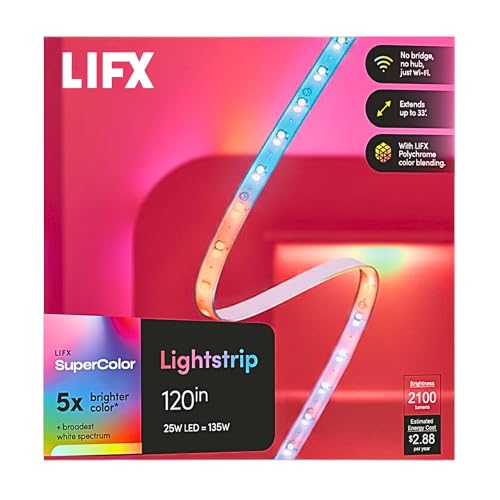 | Best for Custom Scenes | Smart Home: Apple HomeKit, Siri, Alexa, Google Assistant | Connectivity: Wi‑Fi | Light Type: Full color LED | VIEW LATEST PRICE | Read Our Analysis |
| Nanoleaf Essentials Matter Smart Multicolor LED Lightstrip Kit |  | Best Smart Features | Smart Home: Apple Home, Google Home, Alexa, SmartThings | Connectivity: Wi‑Fi, Bluetooth, Matter | Light Type: RGB + whites LED | VIEW LATEST PRICE | Read Our Analysis |
| Govee COB LED Strip Light Pro RGBICW Smart Strip | 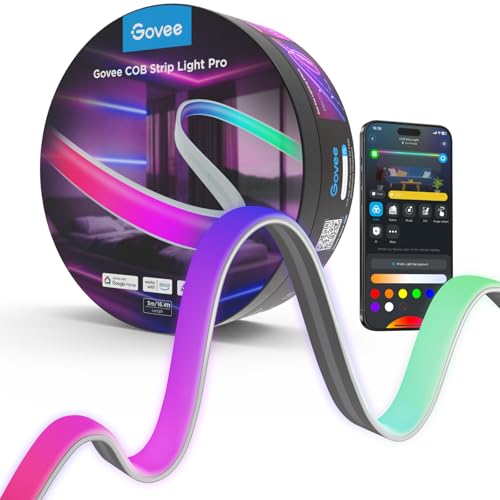 | Best COB Strip | Smart Home: HomeKit, Alexa, Google Assistant | Connectivity: Wi‑Fi, Bluetooth | Light Type: RGBICW LED | VIEW LATEST PRICE | Read Our Analysis |
| Philips Hue Smart LED Light Strip Base Kit | Best Base Kit | Smart Home: Apple HomeKit, Alexa, Google Assistant | Connectivity: Bluetooth, Zigbee | Light Type: White & color LED | VIEW LATEST PRICE | Read Our Analysis | |
| PHILIPS Hue 10 Ft Smart RGBWW LED Lightstrip Kit |  | Best Long Strip | Smart Home: Apple HomeKit, Alexa, Google Assistant | Connectivity: Zigbee, Ethernet | Light Type: RGBWW LED | VIEW LATEST PRICE | Read Our Analysis |
More Details on Our Top Picks
Philips Hue Gradient PC LED Lightstrip (578294)
If you want a HomeKit-compatible light strip for a 24–27 inch monitor, the Philips Hue Gradient PC LED Lightstrip (Model 578294) is a strong pick. You get seamless multicolor gradients, white and color ambiance, and dimmable LED lighting that can react through the Hue Sync desktop app. It requires a Hue Bridge, but it also works with Alexa, Google Assistant, and Matter through the Hue system. You can mount it on the back of your monitor, bend it around corners, and use it for single, double, or triple setups. It’s corded, energy efficient, and built for indoor gaming.
- Smart Home:Apple HomeKit, Alexa, Google Assistant
- Connectivity:Wi‑Fi, Zigbee
- Light Type:Gradient LED
- Color Effects:Multicolor, gradient
- Dimmable:Yes
- Indoor Use:Indoor
- Additional Feature:Monitor back mounts
- Additional Feature:Hue Sync desktop
- Additional Feature:Multi-monitor support
SYLVANIA Smart Bluetooth Mesh LED Flex Light Strip
The SYLVANIA Smart 16.4 ft Bluetooth Mesh LED Flex Light Strip is a strong pick for homeowners who want an outdoor-ready HomeKit light strip with simple setup and no hub required. You get millions of RGB colors, adjustable whites, dimming, and Bluetooth Mesh control through the SYLVANIA SMART+ app. It works with Alexa, Google Assistant, and Apple HomeKit, so you can use voice commands or your phone. Because it’s weather resistant and waterproof, you can light patios, decks, gazebos, and walkways. You can also cut it, expand it, and set schedules for added convenience.
- Smart Home:Apple HomeKit, Alexa, Google Assistant
- Connectivity:Bluetooth Mesh
- Light Type:RGBTW LED
- Color Effects:Millions of colors
- Dimmable:Yes
- Indoor Use:Indoor/outdoor
- Additional Feature:Outdoor rated
- Additional Feature:Cut-to-customize length
- Additional Feature:No hub required
LIFX Color Zone Smart LED Light Strip
LIFX Color Zone Smart LED Light Strip is a strong pick for you if you want a HomeKit-compatible strip that doesn’t need a bridge or hub. You connect it directly to 2.4GHz Wi‑Fi, then control it with the LIFX app, Siri, Alexa, or Hey Google. Its Polychrome Technology gives you eight addressable zones, so you can show multiple colors at once, plus gradients, rainbow effects, and animations. The 10-foot strip bends easily, cuts to size, and works well under cabinets, behind TVs, or along shelves. It’s bright, with 2,100 lumens, but keep it indoors and near your router.
- Smart Home:Apple HomeKit, Siri, Alexa, Google Assistant
- Connectivity:Wi‑Fi
- Light Type:Full color LED
- Color Effects:Zones, rainbow effects
- Dimmable:Yes
- Indoor Use:Indoor
- Additional Feature:Eight color zones
- Additional Feature:Direct Wi-Fi connection
- Additional Feature:Animated rainbow effects
Nanoleaf Essentials Matter Smart Multicolor LED Lightstrip Kit
Need a HomeKit-friendly strip that plays nicely across Apple Home, Google Home, Alexa, and SmartThings? You’ll get that with the Nanoleaf Essentials Matter Smart Multicolor LED Lightstrip Kit. Its 5-meter, trimmable design packs 300 addressable LEDs and 60 color zones, so you can create smooth gradients, bold scenes, or calm white light up to 541 lumens. Use the Nanoleaf app, in-line controller, or voice commands over Wi-Fi, Bluetooth, or Matter. It’s great for music-reactive effects, screen mirroring, and easy scheduling. Note that you’ll need a Matter-compatible hub and indoor placement only.
- Smart Home:Apple Home, Google Home, Alexa, SmartThings
- Connectivity:Wi‑Fi, Bluetooth, Matter
- Light Type:RGB + whites LED
- Color Effects:16M+ colors
- Dimmable:Yes
- Indoor Use:Indoor
- Additional Feature:Screen mirror support
- Additional Feature:Music-reactive lighting
- Additional Feature:300 addressable LEDs
Govee COB LED Strip Light Pro RGBICW Smart Strip
If you want a HomeKit-compatible strip that looks more like a continuous light bar than a row of dots, the Govee COB LED Strip Light Pro stands out with its 1260 LEDs per meter and smooth RGBICW output. You get Matter support, so it works with HomeKit, Alexa, and Google Assistant, plus voice control over Wi‑Fi or Bluetooth. The 16.4-foot strip uses a soft silicone sleeve, sticks on easily, and cuts every 8 cm. In the Govee Home app, you can fine-tune 12 segments per meter, pick scenes, and enjoy warm white or vivid color for bedrooms or cabinets.
- Smart Home:HomeKit, Alexa, Google Assistant
- Connectivity:Wi‑Fi, Bluetooth
- Light Type:RGBICW LED
- Color Effects:Seamless effects
- Dimmable:Yes
- Indoor Use:Indoor
- Additional Feature:COB technology
- Additional Feature:1260 LEDs/meter
- Additional Feature:Cut every 8cm
Philips Hue Smart LED Light Strip Base Kit
The Philips Hue Smart LED Light Strip Base Kit is a strong pick for you if you want a HomeKit-friendly light strip that delivers smooth, flowing multicolor lighting without harsh reflections. You get a 6-foot indoor strip with a matte milky white silicone sleeve that diffuses rainbow effects beautifully. It works with the Hue app, Bluetooth, Zigbee, Alexa, and Google Assistant, and it pairs with a Hue Bridge for Apple HomeKit control and automations. You can dim it, adjust white tones, and customize dynamic scenes. Use it under cabinets, behind furniture, or along stairs.
- Smart Home:Apple HomeKit, Alexa, Google Assistant
- Connectivity:Bluetooth, Zigbee
- Light Type:White & color LED
- Color Effects:Flowing multicolor
- Dimmable:Yes
- Indoor Use:Indoor
- Additional Feature:Extendable to 33 feet
- Additional Feature:Diffused rainbow light
- Additional Feature:Hue Bridge automations
PHILIPS Hue 10 Ft Smart RGBWW LED Lightstrip Kit
Philips Hue’s 10 ft Smart RGBWW LED Lightstrip Kit is a strong pick for you if you want a long, premium accent light that plays nicely with HomeKit and other major smart assistants. You get a flexible 3-meter strip with a milky white silicone sleeve that softens glare and spreads light smoothly. Its RGBWW LEDs give you rich color plus warm 2700K white, and 1700 lumens delivers plenty of punch. You can cut it once for a custom fit, then stick, plug in, and control it with the app or your voice.
- Smart Home:Apple HomeKit, Alexa, Google Assistant
- Connectivity:Zigbee, Ethernet
- Light Type:RGBWW LED
- Color Effects:True colors, pure white
- Dimmable:Yes
- Indoor Use:Indoor
- Additional Feature:1700 lumens brightness
- Additional Feature:Cuttable once
- Additional Feature:Premium silicone sleeve
Factors to Consider When Choosing HomeKit Light Strips
When you choose HomeKit light strips, make sure they work smoothly with Apple HomeKit and your setup. Check the connectivity, light quality, and whether the strip fits the space you want to light. You’ll also want smart features that match how you plan to control and customize them.
HomeKit Compatibility
To get a HomeKit light strip that fits your setup, look for explicit HomeKit support and confirm whether it’s native over Wi‑Fi or Bluetooth, or only available through a bridge or smart lighting hub. You’ll want to know exactly how the strip joins Apple’s ecosystem, because that can change how you set it up and automate it. Check that Siri voice control works too, since that’s a major HomeKit perk. Then see whether the strip only handles on/off and dimming, or also supports scenes, schedules, remote control in the Home app, and automations. Finally, verify that the required app, firmware, and Apple device version all line up, because some HomeKit and Matter features need newer iOS or tvOS releases.
Connectivity Requirements
For a smooth HomeKit setup, start by confirming the light strip has explicit Apple HomeKit support, since some models only work after you add a hub or bridge. Next, check how it connects: many strips use Bluetooth, Wi‑Fi, Zigbee, or a mix, and that choice affects setup and control. If you want reliable remote access and automation, verify whether you need a hub or bridge, because some strips won’t offer full HomeKit features without one. Also, match the wireless option to your network and device limits; for example, some Wi‑Fi strips only use 2.4 GHz, while Bluetooth models skip the hub. If you’re planning ahead, look for Matter support too, since it can broaden compatibility while still fitting into your HomeKit setup.
Light Quality
Once you’ve confirmed the HomeKit connection setup, shift your attention to light quality, since that’s what determines how the strip looks and works in your space. You should look for high color consistency and multiple simultaneous color zones, because gradient-capable strips can blend several colors instead of showing one flat tone. Check brightness too: around 541 lumens gives you a softer glow, while 1700+ lumens can light a room more strongly. If you want more than mood lighting, choose true white support with adjustable color temperature for reading or working. Higher LED density usually means smoother, less spotty light, and dimming, smooth transitions, plus diffused or silicone-sleeved builds can reduce harsh reflections and improve the overall effect.
Installation Fit
Installation fit can make or break a HomeKit light strip setup, so start by measuring the space you want to cover and matching it to a fixed length like 2 m, 5 m, 6 ft, 10 ft, or 16.4 ft. If the strip’s too long or too short, you’ll fight the install from the start. Check whether you can cut it, and whether the cut pieces can reconnect, especially if you need to turn corners or stop at exact edges. You should also confirm flexibility and bend radius for shelves, curved furniture, or tight turns. Look at the mounting method too—adhesive, clips, screws, or monitor mounts all suit different surfaces. Finally, match the strip’s protection rating to the location, since indoor IP20 models won’t fit wet or outdoor spaces.
Smart Features
When you’re choosing a HomeKit light strip, smart features matter just as much as fit. You’ll want voice assistant support and a solid app so you can control lighting hands-free or from your phone. Check for automation tools like schedules, timers, scene cycling, and custom scenes, since they make daily use easier. If you already use a broader smart home setup, look for Matter, Bluetooth, Wi‑Fi, or Zigbee compatibility so the strip can fit in smoothly. For more dynamic lighting, choose multi-zone or addressable LEDs; they can create gradients, layered colors, animated effects, and even music or screen sync. Finally, verify whether the strip needs a hub or bridge, because some models connect directly while others need extra hardware for advanced features.
Indoor Or Outdoor Use
Indoor use and outdoor use aren’t interchangeable, so you’ll want to check a light strip’s rating before you buy. If you’re mounting it outside, choose a model made for patios, decks, gazebos, walkways, or landscape accents. Those strips are usually weather resistant or waterproof, so they can handle rain, humidity, and exposure better than indoor-only options. For bedrooms, kitchens, shelves, or gaming setups, an indoor-rated strip is usually enough, especially when it’s labeled IP20 and doesn’t need moisture protection. If you expect damp conditions or no cover, don’t compromise—pick a strip explicitly marked waterproof or weather resistant. You should also match the hardware to the space; outdoor kits often use clips and screws, while indoor versions may rely on adhesive backing or monitor mounts for easier installation.
Frequently Asked Questions
Which Homekit Light Strips Work With Siri Voice Commands?
HomeKit compatible light strips that appear in the Home app and support Siri work with voice commands, including Philips Hue Lightstrip, Nanoleaf Essentials, and Eve Light Strip.
Can Homekit Light Strips Sync With Music or Movies?
Yes. Many HomeKit light strips can sync with music or movies using compatible apps or automations. Synchronized lighting can make scenes feel more immersive, and the effect is often noticeable right away.
Do Homekit Light Strips Require a Hub or Bridge?
Sometimes a HomeKit strip connects straight to your network. Other strips need the brand’s bridge before HomeKit control works.
Are Homekit Light Strips Suitable for Outdoor Use?
No, not every light strip is built for outdoor conditions. Look for an IP65 rating or higher, weatherproof power connections, and adhesives made for exterior surfaces. Choosing an indoor strip for outside use can lead to damage quickly, especially in rain.
How Hard Is It to Install Homekit Light Strips?
Most HomeKit light strips go up quickly: wipe the mounting surface, press the strip into position, plug in the power, then pair it in the Home app. Straight runs are simple, but corners and cutting to length can add time; plan on less than 30 minutes for most installs.